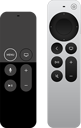
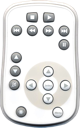
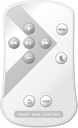
Included with the new Intel Mac product lines iMac, Mac Mini, MacBook and MacBook Pro as well as the latest revision of the iMac G5 comes an infrared remote control, that can be used with Remote Buddy. The mapping of all six buttons of this remote control is configurable in Remote Buddy.
The Remote Buddy license is not included with these products.
The combination of Remote Buddy's AJAX Remote and the iPhone™ revolutionize the remote control concept by uniting Macintosh® computer and remote control as a new, powerful unit, that can be used in useful ways even without a computer screen.
The Remote Buddy license is not included with these products.
Use the Apple® Remote with Macs that didn't come with an IR receiver.
Available from the stores below.
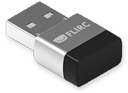
If you want to use an Apple® Remote with your PowerPC Mac or Mac Pro, you now can. Remote Buddy, the Apple® Remote and an inexpensive eHome IR Receiver is all you need.
Use the remote control from your EyeTV bundle with Remote Buddy
Infrarot
Starting with EyeTV 2.5.1 and Remote Buddy 1.8, you can now use many remote controls supported by EyeTV to also control Remote Buddy - and thus your entire system.
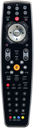
This remote control submits its signals via RF. A direct "line of sight" between receiver and remote thus does not have to exist. The mapping of all nine buttons of this remote is configurable in Remote Buddy.
This product is an inexpensive way to equip a Mac without Apple® Remote with a remote control.
The Remote Buddy license is not included with this product.
17 buttons, with USB IR receiver, support for the Apple® Remote
Available from the stores below.
The Keyspan Express is an attractive bundle consisting of an IR receiver and a remote control. Remote Buddy does support the included remote control as well as the Apple® Remote Remote Buddy with the included receiver, which is connected to the computer via USB. The Remote Buddy license is not included with this product.
17 buttons, with USB IR receiver, support for the Apple® Remote
No longer in production.
The Keyspan Digital Media Remote (DMR) is an attractive bundle consisting of an IR receiver and a remote control. It is a close relative to the Keyspan Express bundle. Remote Buddy does support the included remote control as well as the Apple® Remote Remote Buddy with the included receiver, which is connected to the computer via USB. The Remote Buddy license is not included with this product.
17 buttons, with USB IR receiver, support for the Apple® Remote
Available from the stores below.
The Keyspan Remote for iTunes is an attractive bundle consisting of an IR receiver and a remote control. Remote Buddy does support the included remote control as well as the Apple® Remote Remote Buddy with the included receiver, which is connected to the computer via USB. The Remote Buddy license is not included with this product.
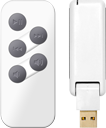
This remote control submits its signals via RF. A direct "line of sight" between receiver and remote thus does not have to exist. The mapping of up to 20 combinations of the five buttons of this remote is configurable in Remote Buddy. Due to the number of buttons and their positioning, the intuitive use with menus and virtual input devices is limited. On the pro side, it has an elegant design and is compatible with all Macs with Remote Buddy and USB port. The Remote Buddy license is not included with this product.
11 buttons, motion and IR sensors, operates via Bluetooth®
Available from the stores below.
This is maybe the most stunning piece of remote control hardware you can currently get your hands on. It submits its data via Bluetooth and is very accurate and reliable. Also, it has built-in motion and IR sensors that will allow for a range of innovative features. If your Mac has Bluetooth built in, you don't need any external receiver. The Remote Buddy license is not included with this product.
This remote control - originally developed for controling playback of videos on the PS3 - transmits its signals via Bluetooth® and reacts very precisely and reliably to button presses. Its many buttons offer plenty of room for your own ideas and mappings with special functions. You'll not need an external receiver if your Mac® is already equipped with Bluetooth®. The Remote Buddy license is not included with this product.
This remote is a smart replacement for the Apple® Remote that fits into the ExpressCard/34 slot of a MacBook Pro. It can be used with the same receivers as the Apple® Remote. A receiver is not included with this remote! The Remote Buddy license is not included with this product.
Supports keyboards and selected Bluetooth enabled mobile phones.
Part of Remote Buddy.
You can now use Remote Buddy with just your keyboard as well. Therefore, you define key combinations that, when pressed, behave as if you had pressed the button of a remote control. Thanks to the ability to freely configure these key combinations, you can - given you can configure them accordingly - also use many Bluetooth enabled mobile phones.
Remote Buddy does also support remote controls other than the Apple® Remote. This allows you to add a third-party remote control to your IR-sensor-less Mac and benefit from the advantages of using Remote Buddy. It is even possible to use remote controls from different vendors at the same time and map them differently.
Additional information and details regarding the supported hardware can be found on this page. Please note that a Remote Buddy license has to be acquired seperately and Remote Buddy needs at least OS X 10.4 "Tiger" to run.
Apple® Remote
If you want to use the Apple® Remote without additional hardware, you need a Mac with built-in IR receiver. All Macs, that have a built-in IR receiver (except the cheapest Intel iMac) already come with an Apple® Remote. Please read the seperate info regarding the "eHome IR Receiver" on this page if you are interested in using Remote Buddy with the Apple® Remote on a Mac that does not have a built-in IR receiver.
Keyspan IR remote / receiver bundles
Keyspan is known as a maker of high quality packages of remote control and receiver hardware for quite a number of years by now. Please find a list of infrared models we did successfully test, below. Remote Buddy contains its own drivers for the Keyspan hardware and does thus not require any of Keyspan's drivers or software.
The Keyspan Express is available here (non-exhaustive list, links to external sites):
Amazon.com
Many Apple® Stores worldwide (e.g. Germany, USA, France - search for "Keyspan Express" and, if you want to use it with that, "Apple® Remote")
Keyspan RF Remote for Front Row (ER-RF1)
Available here (non-exhaustive list, links to external sites):
Since the AirClick only has five buttons, a button combination has to be used for the "Menu"-Button. In order to reach Remote Buddy's menu with the AirClick, press "Skip left" / "|<<" together with the below button "Reduce volume" / "<| )" - or, said differently: the two lowest buttons on the left side.
Available here (non-exhaustive list, links to external sites):
More information on support for this device can be found in a category of its own in the Remote Buddy FAQ.
This remote control is available in many stores and online shops.
Sony® BD Remote Control
More information on support for this device can be found in a category of its own in the Remote Buddy FAQ.
This remote control is available in many stores and online shops.
eHome 2005 IR receivers
The equation is simple:
"eHome IR Receiver" + "Apple® Remote" + "Remote Buddy" = "All you need to use the Apple® Remote with your Mac".
Now, what is an eHome IR Receiver and how can you get one?
Many different vendors, including Microsoft, are offering low-priced, external IR receivers that follow Microsoft's eHome 2005 standard, originally designed for usage with Windows MCE. When purchasing an MCE IR receiver, you'll very likely get a branded version of the Philips OVU4003. If you plan to buy a unit in a store, you may want to have a look at the bottom side of the receiver for the "OVU4003" string. Click on the image on the right to see an illustration on this. Most of the time, the OVU4003 is sold together with a MCE remote control.
The table below represents the current state of affairs. All data is subject to change.
If you have another eHome receiver that works or does not work with Remote Buddy, please let us know.
Please make sure you can return any hardware you buy for Remote Buddy in case you purchased the wrong item or different hardware is sold under the same label.
eHome receivers are available here (non-exhaustive list, links to external sites):
IOSPIRIT GmbH and Remote Buddy are neither affiliated with nor endorsed or sponsored by Apple®,
Nintendo®, Keyspan™, Philips®, Sony®, Microsoft®, Griffin or any other, previously named company. More legal information…